Quiet, believable motion
A blink, a breath, a gentle smile and a small turn of the head and shoulders.
A still picture, a few moving seconds
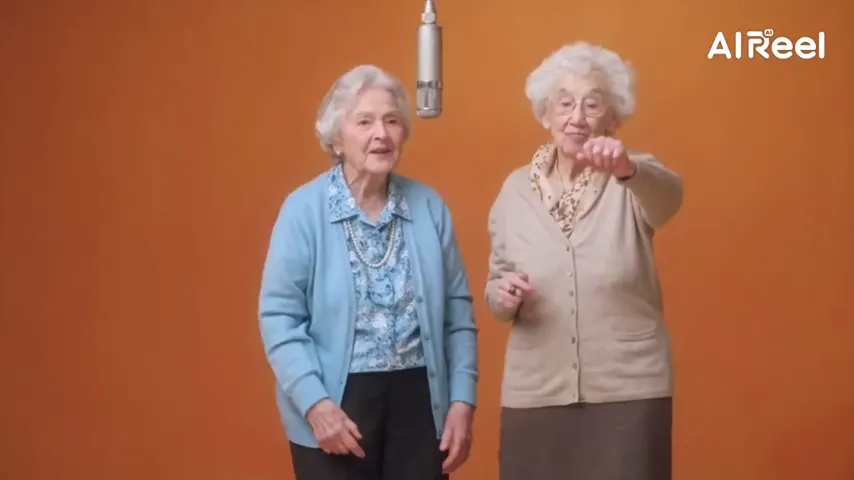
Upload one portrait and watch its subject wake up a little: eyes blink, shoulders rise with a breath, a small smile appears and the head turns toward you. The room behind them stays exactly where it was.
Your picture
A single picture works: just you, or the pair of you.
Effect
Take
Price: 4 credits. Done in roughly 2 to 5 min; if it fails, the credits come back. See prices
Old photo to video on Hotel Lobby Video means one uploaded portrait plus the Bring to Life effect: Seedance 2.0 Mini animates the person with a blink, a breath, a soft smile and a slight turn of the head, while the background, lighting and framing of the original stay in place and the camera does not move, with gentle piano underneath. 5 seconds at 720p costs 4 credits, the provider estimates up to about 5 minutes, and a failed take is refunded automatically. It does not repair or colorize anything, and so far we have only tried it on a modern photo, not on faded, torn or black-and-white prints.
Last revised
The idea
Think of a framed portrait on a living-room shelf: a grandfather in his army uniform, an aunt at her first job, a mother holding a newborn. This effect imagines the few seconds after the shutter clicked. The person holds still, then blinks, takes a breath, softens into a smile and turns slightly toward you.
Almost every other effect on the site moves people into a new place. Bring to Life is the exception: the wallpaper, the studio backdrop or the garden fence behind them stays, the light stays, and so do the face, hair and clothes. The camera is told to stay put and only the head and shoulders move, so it feels like the print itself stirring rather than a new film. The soundtrack is soft piano with a hush of room tone and no voices.
Our one demo used a crisp, recent studio portrait of a single person. That is the only kind of input we have seen it handle.
Three steps
A scan, a digital file or a phone picture of the print. One image, with a face you can see clearly.
It opens on Seedance 2.0 Mini, 720p, 5 seconds, 9:16. A wide print looks closer to itself in a wide format; every format is the same price.
The provider estimates up to about 5 minutes. Download the MP4 or open it later from My videos.
In the clip
A blink, a breath, a gentle smile and a small turn of the head and shoulders.
Background, lighting and framing come from the photo; nothing new is painted in.
No zooms or pans, so the picture itself seems to move.
Soft piano with a little ambient hush, and no speech.
We have not yet tried faded, torn, blurry or monochrome prints, or old group portraits, so none of these is promised. If you want to try one, these habits give the model the clearest picture to start from:
To stand next to the person in the photo, a two-portrait effect fits better: the memorial hug video for someone who has died, or hug your younger self in an instant-film frame. Building something longer for a family gathering? The AI tribute video page covers joining clips. All effects are listed on photo to video effects.
Our own takes
Two sample renders, with model, length and source shown under each. They demonstrate the workflow, not a promise about how often a take succeeds.
Wan 3.0 · 480p · 10 s · 16:9
Wan 3.0 · 720p · 12 s · 16:9
Around the web
These clips show the format. Other people made them with other tools, and each one is credited and linked to its post. They are not output from Hotel Lobby Video.
Upload the photo, leave Bring to Life selected and tap Create. A few minutes later you can download a short clip where the person blinks, smiles and turns slightly.
No. The photo is animated as it is, damage included, and the effect is not asked to colorize. There is no restoration tool on this site.
Take it out of the frame if you can, because glass causes glare. Then photograph it flat in daylight from straight above. Old prints are untested, so the outcome is not guaranteed.
The effect asks everyone in the picture to move, but our demo had a single person, so group shots are untested. Larger faces give the model more detail.
No. There is no speech or lip-sync in this effect, only small movements and soft piano. You can add a voice note over the MP4 in your own editor.
No. Unlike most effects here, it keeps the original background, lighting and framing.
It runs in your browser with no app. Uploaded photos are deleted after 7 days and the finished video stays in My videos until you remove it. Only upload family photos or ones you have permission to use, never strangers or public figures.
Yes. Seedance 2.0 Mini goes beyond the 5 second default, and the price rises with length. The motion stays small, so short takes usually feel most natural.
No. 5 seconds at 720p costs 4 credits. You pay in credits at the moment you press create. The entry pack is 10 credits for $9.99, and a take that fails puts its credits back in your balance by itself.
Let it breathe
One portrait, a blink and a quiet smile. The credit cost is on screen before you tap Create.