How to Make an AI Rap Video From Photos (2026 Walkthrough)
How to make an AI rap video on Hotel Lobby Video: give the studio two portraits (or one photo with both people), choose a stage and a sound, tune Video settings and press create. The price of every choice appears before you pay, a take usually lands in about 5 to 15 minutes on Wan 3.0, and the credits come back if a take fails.
Below is the session in order, then a reference for every setting, the price list, the three sounds and a fix for each common problem.
Last revised
AI RAP VIDEO · HOW TO
3
From photos to a rap video
- Photos
- Stage + sound
- Video settings
Run the session in eight steps
- Open the studio and stay on the Rap video tab.
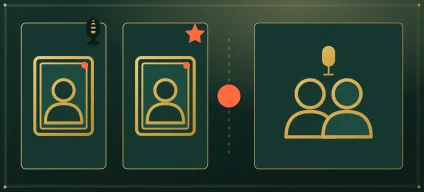
- Add your faces: one portrait per person, or switch to a single photo of both. The left face is the lead voice at the mic; the right face is the backup.
- Choose a stage. Hotel Lobby (orange) re-shoots a reference clip move for move, so the orange set, the single mic and the routine match the trend. Every other stage runs on a Seedance model.
- Choose a sound and the moves. An AI rap needs Seedance; your song or the Hotel Lobby track runs on Wan 3.0. For moves, keep the Hotel Lobby routine or upload your own clip of 2 to 15 seconds.
- Open Video settings and set the model, quality, length and format. Each choice lists its credits.
- Press create. The first time, you sign in with Google.
- Give it time: usually about 5 to 15 minutes on Wan 3.0, and up to about 5 minutes on Seedance according to the provider. You can leave; the take waits in My videos.
- Play it back and download the MP4. You paid when you pressed create, so there is no watermark, and failed takes are refunded.
Every setting in the panel, and what it changes
| Setting | Your options | Effect on the take |
|---|---|---|
| Faces | A portrait each, or one photo of both | Who performs; the left face leads, the right face backs up |
| Stage | Hotel Lobby (orange), Luxury Lobby, Studio Booth and Street Cypher | The set around them; only Hotel Lobby runs without Seedance |
| Sound | An AI rap about your topic (Seedance); your song, the Hotel Lobby track or the sound of your clip (Wan 3.0) | What the lead voice performs to |
| Moves | The Hotel Lobby routine or your own clip (2 to 15 s) | How the pair moves |
| Model | Wan 3.0 (default), Seedance 2.0 Mini, 2.0 Fast, 2.0 and 2.5 | Price and which sounds work: tracks need Wan 3.0, topics and other stages need Seedance |
| Quality | 480p, 720p or 1080p on Wan 3.0; 480p up to 1080p on Seedance | Detail and price |
| Length | 5, 8, 10, 12 or 15 s on the Hotel Lobby stage; 5, 8, 10, 12, 15, 20 or 30 s on other stages (20 or 30 s only with Seedance 2.5) | Running time and price |
| Format | 16:9, 9:16, 1:1, 4:3 or 3:4 | Frame shape only; the price stays the same |
Price list for one take
Prices are in credits, and the studio shows them on each option before you commit. The everyday take, 12 seconds on Wan 3.0 at 480p, is 6 credits. Changing the format never changes the number.
| Take | Credits |
|---|---|
| Wan 3.0 at 480p, Hotel Lobby routine, 5, 8, 10, 12 or 15 s | 3, 4, 5, 6 or 7 |
| Wan 3.0 at 720p, same lengths | 4, 6, 8, 10 or 12 |
| Wan 3.0 at 1080p, same lengths | 8, 12, 16, 20 or 24 |
| 12 s AI rap from a topic, Seedance 2.0 Mini at 720p (any stage) | 10 |
| Any Seedance take of 12 s | from 5 credits (Seedance 2.0 Mini, 480p) to 90 (Seedance 2.5, 1080p) |
- There is no free take. Credits are spent when you press create, and a take that fails gives them back automatically.
- The smallest pack is 10 credits for $9.99 and its credits never expire. The lowest plan is Basic, 100 credits a month for $29.90. Everything is on the pricing page.
Choose one of three sounds
- AI rap (Seedance). Type a topic of up to 120 characters, or leave the box blank. The AI writes a new clean verse and beat in the topic’s language (the page’s language when blank) and the lead voice performs it. Switch on Both rap and the two faces swap lines. It never uses existing songs, lyrics or artist voices.
- Your song (Wan 3.0). Upload an MP3 or WAV, select up to 15 seconds, and the lead voice lip-syncs it. Only upload audio you are allowed to use.
- The Hotel Lobby track (Wan 3.0). The lead voice lip-syncs the trend’s track, on the orange set or over a clip of your own.
Fix a take that went wrong
| What went wrong | Try this |
|---|---|
| Faces look soft or unlike the people | Use portraits taken face-on, in good light, from the waist up, and raise the quality |
| The backup is rapping instead of the lead | The left face always leads, so swap the portraits. In a photo of both, the person on the left leads |
| The topic box or a stage is missing | Change the model to a Seedance one |
| The topic was rejected | Sexual or hateful topics are blocked before any charge; reword it |
| The take failed | Your credits return automatically; adjust the photos or the topic and run it again |
Write a topic that raps well
- Give names and one oddly specific detail: “Lena’s sourdough that never rises” works better than “my sister”.
- Keep it to one idea. 12 seconds goes fast.
- With Both rap, hand them a debate: “who snores louder on road trips, Omar or Bea”.
- Need a spark? Borrow from the funny rap lyrics, the rap battle roast lines or a birthday rap song.
Before you share it
- For TikTok, Reels and Shorts, set 9:16 before you create; the frame is fixed afterwards.
- Save the MP4. Takes stay in My videos, while your photos are deleted after 7 days.
- Use only faces you have permission to use, and ask both people before posting.
FAQ
How do I make an AI rap video on my phone without installing anything?
Open the studio in your phone’s browser, add the two portraits from your camera roll, pick a sound and press create. Everything runs in the browser and the MP4 downloads to your phone.
How long until my AI rap video is ready?
Usually about 5 to 15 minutes on Wan 3.0, and up to about 5 minutes on Seedance by the provider’s estimate. You can close the tab; it waits in My videos.
What does the cheapest AI rap take cost?
A 12-second rap written from your topic on Seedance 2.0 Mini at 720p is 10 credits on any stage. Credits come back automatically if the take fails.
I only have one photo with both of us in it. Will that work?
Yes, as long as both people are in it; whoever stands on the left leads. For a one-person clip, use an effect instead.
Can I get the lyrics as text afterwards?
No. The rap exists only inside the MP4, as its audio track.
Can I choose a different background than the orange set?
Yes. The stages are Hotel Lobby (orange), Luxury Lobby, Studio Booth and Street Cypher; every stage other than Hotel Lobby needs a Seedance model.
Up next
Funny Rap Lyrics: 18 Clean Two-Line Jokes You Can Use
18 brand-new, clean funny rap lyrics in six everyday themes, and a three-move recipe to write more
Rap Battle Roast Lines: 25 Clean Bars for Your Friends
25 new, clean rap battle roast lines sorted by friend type, a fair-game vs off-limits list, and how to film the battle
AI Rap Battle With Two Faces: Topics, Setup and Checks
AI rap battle from two portraits: what makes a two-sided topic, the setup with Both rap, a sample render, how to judge it and when to script your own bars
AI Rap Video in Your Language: Spanish, French and More
AI rap video in your language: the topic’s language wins, starters in five languages, names that survive, a native-speaker check and exact-word recording
Hotel Lobby Video is an independent app with no ties to Quavo, Takeoff, Migos, Quality Control Music, Motown or COLORS.