How to Do the Hotel Lobby Trend: 3 Routes Compared (2026)
How to do the Hotel Lobby trend, in one line: put two people on the orange COLORS-style set with one shared mic, one voice on the verse and one on the ad-libs. The quickest route is Hotel Lobby Video (hotel-lobby-video.app) in your phone browser: add a pair of portraits, or one photo of both, keep Wan 3.0 with Hotel Lobby original, and a 12-second take at 480p costs 6 credits, with the template track already in the download. There is no free preview and no subscription; the smallest pack is 10 credits for $9.99, and a take usually arrives in about 5 to 15 minutes.
The trend goes by other names too, Migos AI and the AI rap duo among them. All of them copy the 2022 A COLORS SHOW episode where Quavo and Takeoff performed “Hotel Lobby” at a single mic. Below are three routes to your own duet take, from a two-minute job to a night of hand editing, then the session notes that make a take come out well.
Last revised
HOTEL LOBBY · HOW TO
3
Hotel Lobby: three ways
- Two photos
- A prompt
- An editor
Pick your route: three ways to do the Hotel Lobby trend
| Route | You bring | Work involved | What it costs |
|---|---|---|---|
| Hotel Lobby Video from two portraits | One face per photo, or one photo of the pair | Almost none: the set, the moves and the prompt are prepared | Hotel Lobby Video: 6 credits for 12 s (10 credits for $9.99), refunded if the take fails |
| A general AI video model plus your own prompt | Both photos, a written scene, maybe a reference clip | Some: you write the prompt and try again when it drifts | Whatever that model charges |
| An editor template | An AI clip from somewhere else, dropped into a template holding the original clip and audio | The most: you line the clip up by hand | Kapwing’s free plan adds a watermark to exports |
According to Complex, early clips came from tools such as Starrd, Summrs and CapCut templates. Websites built around two photos appeared a few days later.
Route one, on this page
Start your duet take here
Add a portrait for each voice, or one photo of the pair, choose the frame and see the credit price on the button before you create.
Your two faces
A single face per picture. Left leads, right backs up.
Set
Take and sound
Price: 6 credits. Done in roughly 5 to 15 min; if it fails, the credits come back. See prices
Route one: cut your duet from two portraits
- Choose your faces. One person per photo works, and so does one photo of the two of you side by side. The photos can come from different days. Pick ones where each face is sharp, front-on and lit well, framed from the waist up or head to toe, without sunglasses.
- Cast the voices. On Hotel Lobby Video the left photo takes the verse at the mic and the right photo plays the sidekick who backs them up.
- Set the frame and length: 9:16 for TikTok and Reels, 16:9 for YouTube, 5, 8, 10, 12 or 15 seconds, at 480p, 720p or 1080p. The create button shows the credit price before anything is charged.
- If you want, open Soundtrack & moves. There you can pick your own song for the lead voice to lip-sync, Your clip so the pair copies the moves of a video you upload, or, on a Seedance model, an AI rap written about a topic you type.
- Press create. Most takes need about 5 to 15 minutes, and you can close the tab: the result waits in My videos.
- Play it back. Credits are taken when you press create, so the take has no watermark, and if it fails the credits come back on their own.
- Download the MP4 and listen once with sound on. With Wan 3.0 and Hotel Lobby original the template track is already inside the file, so if you also pick a sound on the platform, make sure the two do not play over each other.
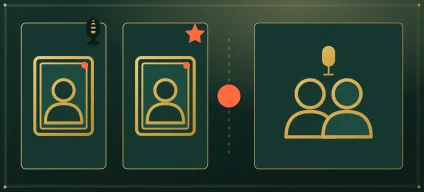
Which soundtrack ends up in your MP4?
| You want to hear | Pick this in the studio | What the file plays |
|---|---|---|
| The Hotel Lobby template track | Wan 3.0 with Hotel Lobby original | The template track under the generated performance, with no extra music editing needed. |
| A recording you made | Wan 3.0 with Your song | The part of your audio you selected. The left person leads it; the two do not take turns on your lyrics. |
| A brand-new rap about you two | A Seedance model with AI rap | Freshly generated rap audio, not the Hotel Lobby recording. |
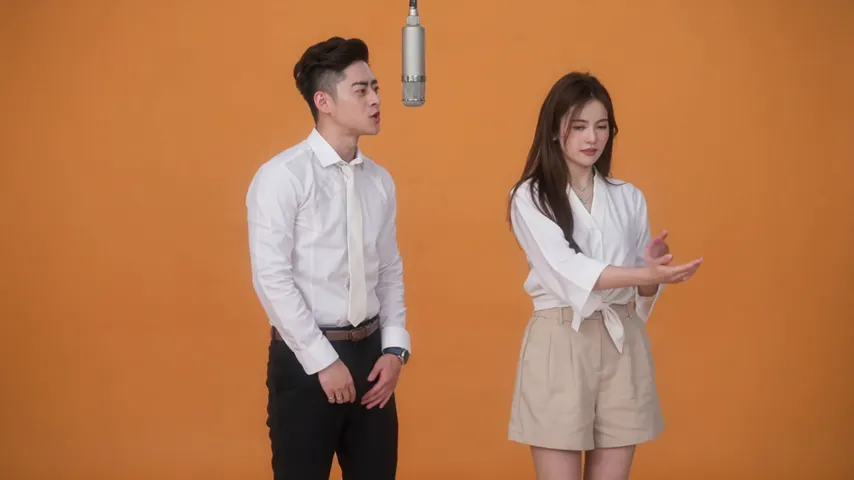
Wan 3.0 · 720p · 12 s · 16:9
- Owner test-account render from Oct 3, 2026 on an earlier site version.
- Sound: the Hotel Lobby song.
- Compressed 854 × 480 copy for the web. The settings listed refer to the full-size take.
Play this take from our own site with the sound up before you buy anything. It is one example, not a promise about likeness or a success rate. Having the track in the download does not give you music rights for every use, so check each platform’s rules on sounds and AI labels, and never stack two songs on top of each other.
Route two: describe the scene in a prompt
Any capable image-to-video model can stage the scene if you hand it both photos and a precise description. Dreamina (CapCut), for one, publishes ready prompts for its Seedance 2.5 model. Whatever tool you use, the prompt must lock four things: the orange set, the single mic hanging from above, which photo stands on which side, and who raps while the other reacts.
Our Hotel Lobby AI prompt guide prints the exact prompt our studio sends and explains each line. It also has five prompts for tools that accept only two photos: a couple, two best friends, a grandparent with a grandchild, drawn characters and pets.
Route three: CapCut, Higgsfield and phone apps
- CapCut templates usually place one face onto an existing clip and keep the original song. Many of the popular “hotel lobby” templates on its site were made before the AI trend began. More in our Hotel Lobby CapCut template guide.
- Higgsfield’s Genjutsu tool recasts the original clip with your photos through a preset shared by its community. A 15-second clip costs 40 to 144 credits there. Walkthrough and prices: Higgsfield Hotel Lobby.
- There is no app actually named Hotel Lobby. MIU AI, Pose, PixVerse Lite, FaceLab and Photo Dance run Hotel Lobby events until late October 2026. Hotel Lobby Video needs no install at all: it works in the phone’s browser.
Can you do the Hotel Lobby trend for free?
Only partly, because every AI video costs real compute. Here is what each tool’s own page said about free use on September 30, 2026:
- Hotel Lobby Video: no free take. Each video is paid in credits (6 for 12 seconds), and a failed take is refunded.
- Kapwing: free exports are 720p with a watermark, and you supply the AI clip yourself.
- Fuzana: you can preview a set photo for free without an account; the video itself needs a credit pack.
- LightX: its free Starter plan hands out 6 AI credits a day, but the page does not say what a video costs.
- Dreamina: eligible accounts may get free credits or trial access.
Prices side by side are in Best Hotel Lobby AI video generators, each free route is in Hotel Lobby AI free, and what every app produces is in Hotel Lobby AI apps compared.
Session notes for a better take
- The face photo is the whole casting call. Choose a straight-on shot in even light with nothing in front of the face.
- Frame from the waist or wider so the outfit comes through; a small face cropped out of a group photo rarely survives.
- Give the left spot to the bigger personality. That voice carries the verse, and the sidekick only has to react.
- Choose 9:16 before you press create when the take is for TikTok or Reels, so nothing gets cut off later.
- Using your own audio? Start the selection on a word, not on a pause.
Borrow the moves from another viral clip
The same method covers other dances and skits. In Hotel Lobby Video, open Soundtrack & moves and upload a clip of 2 to 15 seconds: the pair from your photos repeats its moves on the stage you choose, over the clip’s own sound, the Hotel Lobby track or your own song. The take runs as long as the clip. Only upload clips you are allowed to use.
Before you post: a short checklist
- Upload it vertical (9:16) to TikTok, Instagram Reels or YouTube Shorts.
- Prefer the official song on the post itself? Add the “Hotel Lobby” sound from the app’s music library while uploading, where your region offers it.
- Mark it as AI. TikTok has an AI-generated content switch under More options before you post (TikTok Help). YouTube asks about AI use under Attributes in the upload details; answer Yes when the result looks real (YouTube Help). Instagram wants its AI label on realistic AI video (Meta).
- Add #hotellobby so people browsing the trend can find your duet.
Video walkthroughs from around the web
Credited example: a look at video-to-video tools that swap in new performers.posted by Create with Dave · View on YouTube Credited example: two beginner methods, one of them with no TikTok account.posted by Time To Pivot · View on YouTube
Examples from around the web, credited and linked to the original post.
Keep it kind and consensual
FAQ
I have one selfie of me and my sister and only my phone. Can I still do the Hotel Lobby trend?
Yes. On Hotel Lobby Video, switch to One photo and upload the picture of you both in your phone browser; nothing to install. Whoever stands on the left in the photo takes the verse.
Which app do people use for the Hotel Lobby trend?
Complex lists Starrd, Summrs and CapCut templates among the tools behind the trend. Browser video tools that start from two photos, such as Hotel Lobby Video or LightX, need no app at all.
Do I need a subscription, and will there be a watermark?
No to both on Hotel Lobby Video. You buy a one-time pack (the smallest is 10 credits for $9.99), credits are taken when you press create, and the downloaded MP4 has no watermark.
How long does one take need?
Usually about 5 to 15 minutes on Hotel Lobby Video, and you can leave the page while it runs. Other tools list their own times.
Will the original Hotel Lobby song be in my download?
Yes, with Wan 3.0 and Hotel Lobby original the MP4 carries the template track. Seedance models make a new AI rap instead. Having the audio in the file does not clear it for every use, so check the platform rules before you post.
Can both of us take turns rapping my own song?
Not with your own song: the left person leads it and the right one reacts. For traded lines, use AI rap on a Seedance model and choose Both rap, which writes a new verse instead of using your track.
Is the Migos AI trend something different?
No. Migos AI and the Hotel Lobby AI trend are names for the same clips, so every route here works for both.
References
Up next
Is Hotel Lobby AI Free? What Each Tool Really Gives Away
Is Hotel Lobby AI free: the free routes ranked, then each tool’s and app’s free offer from its own page, with watermarks, limits and prices
Hotel Lobby CapCut Template: What You Will Actually Find
What a Hotel Lobby CapCut template can and cannot do, the templates on CapCut’s site, how to use one, where CapCut points for the AI version, and when two portraits fit better
Hotel Lobby Duo Ideas: 15 Pairs and What They Should Rap
Fifteen Hotel Lobby duo ideas sorted by friends, family, couples and teams, each with a sound (the trend track, your own song or an AI rap) and a ready topic line
Hotel Lobby AI on Your Phone: Browser Steps, No App
Hotel Lobby AI on your phone from start to camera roll: casting two faces, setting the take, waiting it out and saving the MP4 on iPhone or Android
Best Photos for a Hotel Lobby AI Duet: Casting Checklist
Best photos for Hotel Lobby AI: a five-question casting test, swaps for weak shots, what the portrait redraw does, one photo versus two, and model quirks
Hotel Lobby Video is an independent app with no ties to Quavo, Takeoff, Migos, Quality Control Music, Motown or COLORS.