Hotel Lobby Video quality: 480p, 720p or 1080p
480p vs 720p vs 1080p comes down to where the duet will play: 480p for chats and test takes, 720p for Instagram Reels, 1080p for a TV or party screen. On Wan 3.0, 12 seconds cost 6 credits at 480p, 10 at 720p and 20 at 1080p. Resolution sets sharpness; nothing so far shows that it makes faces closer to the photos.
Pixel sizes below come from sample files made with the studio. The same take rendered at all three settings side by side is not published yet.
Last revised
HOTEL LOBBY AI · RESOLUTION
480p, 720p or 1080p?
- 480p
- 720p
- 1080p
Quick pick by destination
- Group chat or a first try: 480p, 6 credits for 12 seconds.
- Instagram Reels: 720p, 10 credits for 12 seconds.
- A TV, projector or party screen: 1080p, 20 credits for 12 seconds.
- TikTok or YouTube Shorts: any setting is accepted; 720p is a comfortable middle.
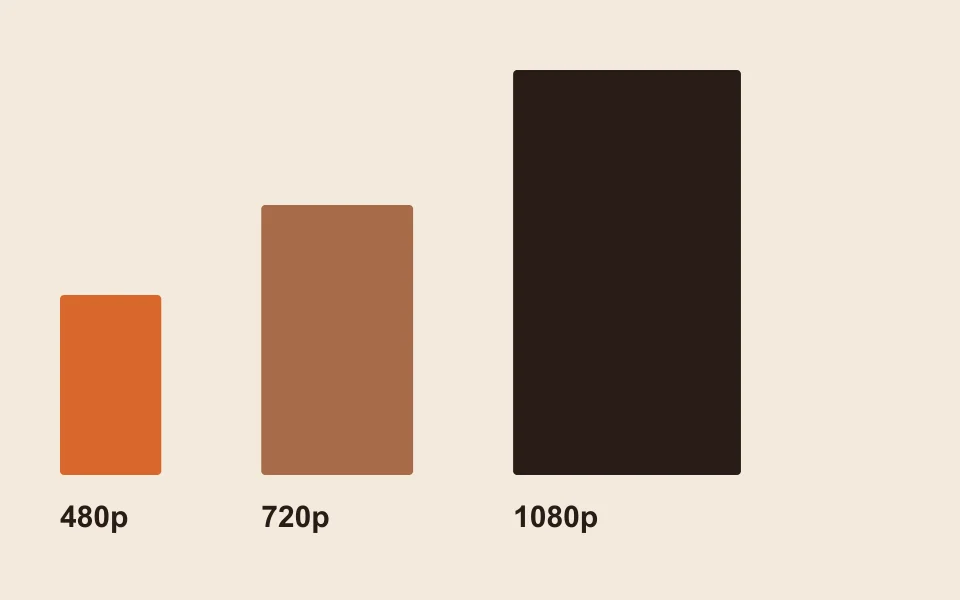
Sizes and frame rates from sample files
| Setting | Pixels in 9:16 | Frame rate | Credits for 12 s on Wan 3.0 |
|---|---|---|---|
| 480p | 480 × 854 on Wan 3.0; 496 × 864 on Seedance 2.0 Mini | 30 fps on Wan 3.0; 24 fps on Seedance | 6 |
| 720p | 720 × 1280 on Wan 3.0 | 30 fps | 10 |
| 1080p | Not measured yet | Not measured yet | 20 |
Higher settings take longer to come back. The editor quotes about 5 to 15 minutes on Wan 3.0; plan for more of that window as the resolution goes up.

Credits for every length and setting
| Take length | 480p | 720p | 1080p |
|---|---|---|---|
| 5 s | 3 credits | 4 credits | 8 credits |
| 8 s | 4 credits | 6 credits | 12 credits |
| 10 s | 5 credits | 8 credits | 16 credits |
| 12 s | 6 credits | 10 credits | 20 credits |
| 15 s | 7 credits | 12 credits | 24 credits |
These are Wan 3.0 rates; neither the stage nor the sound changes them. On Seedance, 2.0 Mini and 2.0 Fast stop at 720p while 2.0 and 2.5 reach 1080p. The full price list is on the pricing page.
What each platform asks for
| Platform | Its own rule | Setting that fits |
|---|---|---|
| Instagram Reels | 720 pixels or more at 30 frames per second (Instagram Help) | 720p on Wan 3.0 (720 × 1280, 30 fps) |
| TikTok | No resolution rule found for normal posts; the developer upload guide accepts 360 to 4,096 pixels at 23 to 60 fps (TikTok for Developers) | Any |
| YouTube Shorts | Vertical or square, three minutes or less (YouTube Help) | Any |
| Messages or WhatsApp | Nothing to meet | 480p looks fine on a phone |
Seedance sample files came out at 24 frames per second, under the 30 that Instagram lists for Reels.
What a sharper file cannot do
- Fix likeness. A face that drifts at 480p is not known to come back at 1080p. Start with better portraits (best photos for Hotel Lobby AI).
- Change the moves, the camera or the lip-sync.
- Change refunds: a failed render is refunded whatever the setting.
A budget-friendly workflow
- Run a first take at 480p to see whether your portraits hold up.
- If a face drifts, swap the photo rather than raising the resolution.
- Once you like what you see, cut the keeper at 720p or 1080p for where it will be shown.
FAQ
Is 1080p worth the extra credits?
Only for a big screen. On a phone, 720p already clears Instagram’s Reels minimum, at 10 credits instead of 20 for 12 seconds.
I post to both TikTok and Reels. Which one setting covers both?
720p. Instagram wants at least 720 pixels at 30 fps, which a Wan 3.0 720p sample file meets (720 × 1280, 30 fps), and TikTok lists no stricter rule for normal posts.
Will 1080p make the face look more like my photo?
Nothing so far shows that. Resolution controls sharpness; likeness depends mostly on the portrait and changes from take to take.
Why is my 480p video only 480 pixels wide?
For a vertical take, that is what 480p means: a Wan 3.0 480p sample file measured 480 × 854.
Does a higher resolution take longer to render?
Yes. The editor quotes about 5 to 15 minutes on Wan 3.0, and a higher setting needs more of that time.
Can I upscale a 480p take to 1080p later?
Not in the studio. Each take is rendered at the setting you pick, so choose 1080p when you create if you need it.
References
Up next
Hotel Lobby AI Video Problems: Why Takes Go Wrong
Hotel Lobby AI video problems by symptom: likely cause, the safeguard the studio uses today, what you can do, and the limits that still remain
Hotel Lobby AI on Your Phone: Browser Steps, No App
Hotel Lobby AI on your phone from start to camera roll: casting two faces, setting the take, waiting it out and saving the MP4 on iPhone or Android
How to Do the Hotel Lobby Trend: 3 Routes Compared (2026)
How to do the Hotel Lobby trend with two portraits, an AI video prompt or an editor template, including costs, free options and posting steps
Hotel Lobby Video is an independent app with no ties to Quavo, Takeoff, Migos, Quality Control Music, Motown or COLORS.